Kreators Guild — Website User Guide
A walkthrough of the Kreators Guild website (kreatorsguild.org): what every page does, how to get around, and what each feature means. Screenshots were captured from the live site.
Two products, one site. The bright pages are the Kreators Guild nonprofit (STEM education). One section — Kuriosity — is a separate, in-development family-AI product with its own dark “cosmic” look. They share a navigation bar and footer.
Contents
- Getting around (global features)
- Home
- About
- Library
- Get Involved — Donate, Volunteer, Membership, Wishlist
- Contact
- Kuriosity (the family AI)
- Privacy & Terms
- Light / dark mode & mobile
- For editors & maintainers
1. Getting around (global features)
Every page shares the same header (top) and footer (bottom).
Header
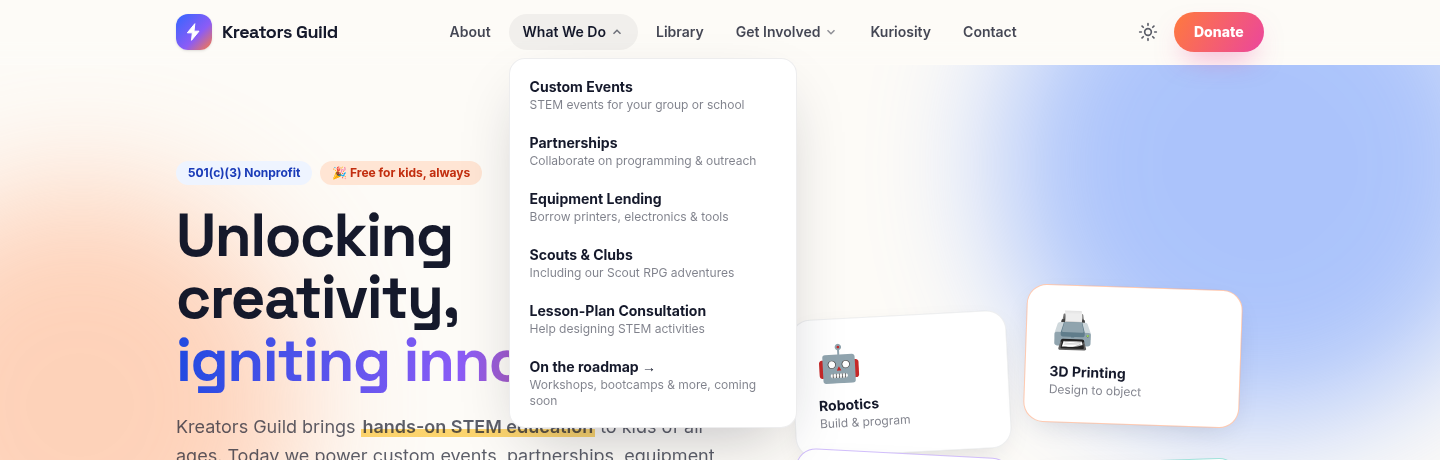
- Logo (left) — clicking it always returns you to the Home page.
- Menu links —
About,What We Do,Library,Get Involved,Kuriosity,Contact. - Dropdowns —
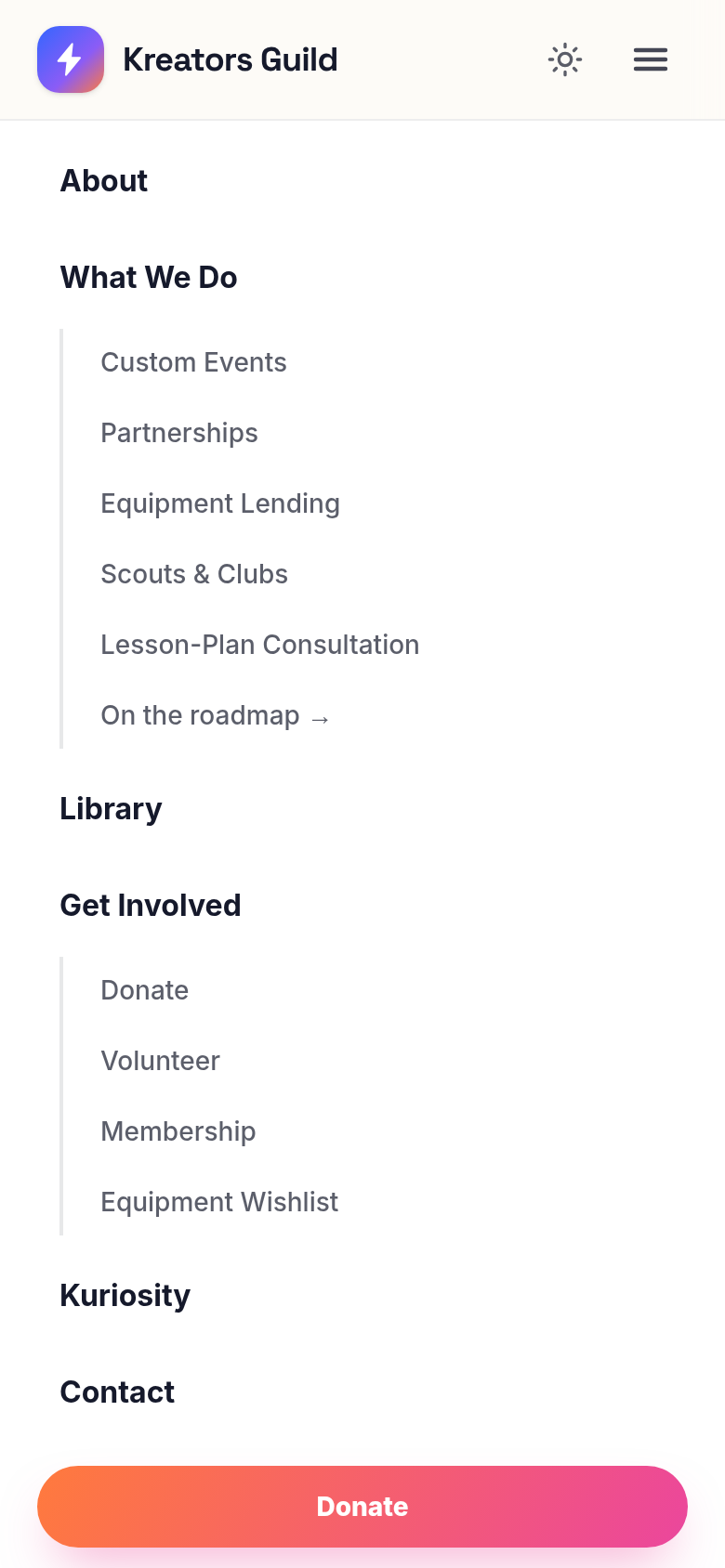
What We DoandGet Involvedopen a panel on hover (desktop) listing their sub-pages with short descriptions. In the screenshot above, What We Do shows the five things the Guild offers today, plus an “On the roadmap →” link to what’s coming. - Theme toggle (☀️/🌙) — switches the whole site between light and dark. Your choice is remembered on your next visit.
- Donate button — a colorful shortcut to the Donate page, always visible.
- The header is transparent at the top of a page and gains a subtle background once you scroll, so it stays readable over any section.
Footer (bottom of every page) repeats the main links in tidy columns — What We Do, Library, Get Involved, Organization — plus YouTube/GitHub icons and the Terms/Privacy links.
2. Home
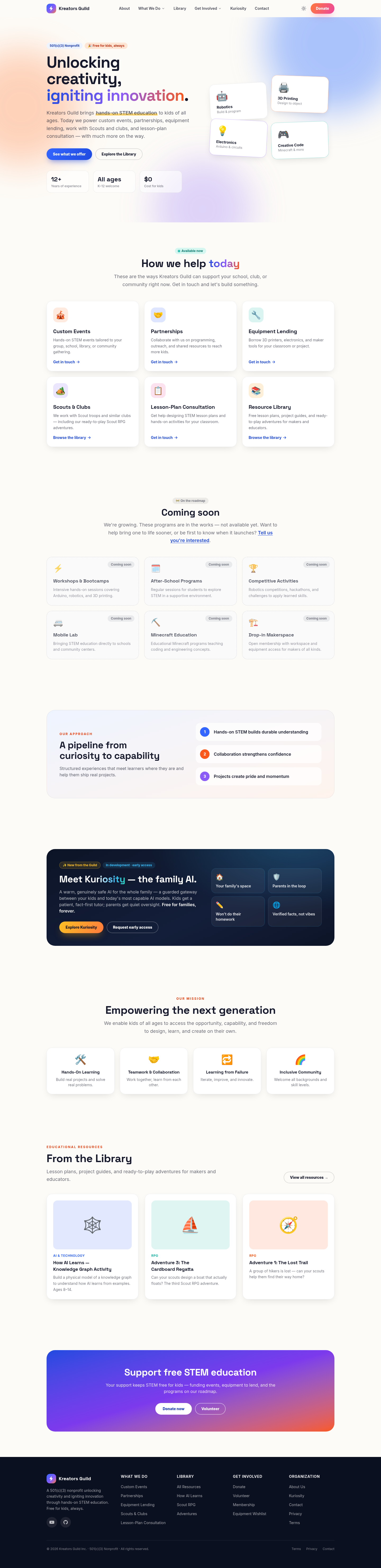
The Home page is the tour of the whole organization, top to bottom:
-
Hero — the headline “Unlocking creativity, igniting innovation,” a one-line summary of what the Guild does today, and two buttons: See what we offer (jumps to the offerings section) and Explore the Library. Three quick stats sit below (12+ years, all ages, $0 for kids). The little tilted cards on the right (Robotics, 3D Printing, Electronics, Creative Code) are decorative — they show the themes kids explore and are intentionally not clickable.
-
How we help today — marked with a green “Available now” badge. These six cards are the things the Guild can actually do for you right now: Custom Events, Partnerships, Equipment Lending, Scouts & Clubs, Lesson-Plan Consultation, and the Resource Library. Each card is a real link — five go to Contact (“Get in touch →”), the Library card opens the Library.
-
Coming soon — marked “On the roadmap.” These cards (Workshops & Bootcamps, After-School Programs, Competitive Activities, Mobile Lab, Minecraft Education, Drop-in Makerspace) are shown with a dashed border and a “Coming soon” tag, and are deliberately not clickable — so it’s always clear what’s live versus planned.
-
Our approach — a short “curiosity to capability” statement with three principles.
-
Kuriosity teaser — a dark, cosmic-styled band introducing the family-AI product, with an “In development · early access” badge and buttons into the full Kuriosity page.
-
Our mission / values — four value cards (hands-on, teamwork, learning from failure, inclusive community).
-
From the Library — a preview of three featured resources (clickable), plus “View all.”
-
Donate call-to-action — a bright closing banner with Donate and Volunteer buttons.
Tip: anything with a green Available now chip or a “Get in touch →” arrow is a working link. Anything with a Coming soon chip is informational only.
3. About
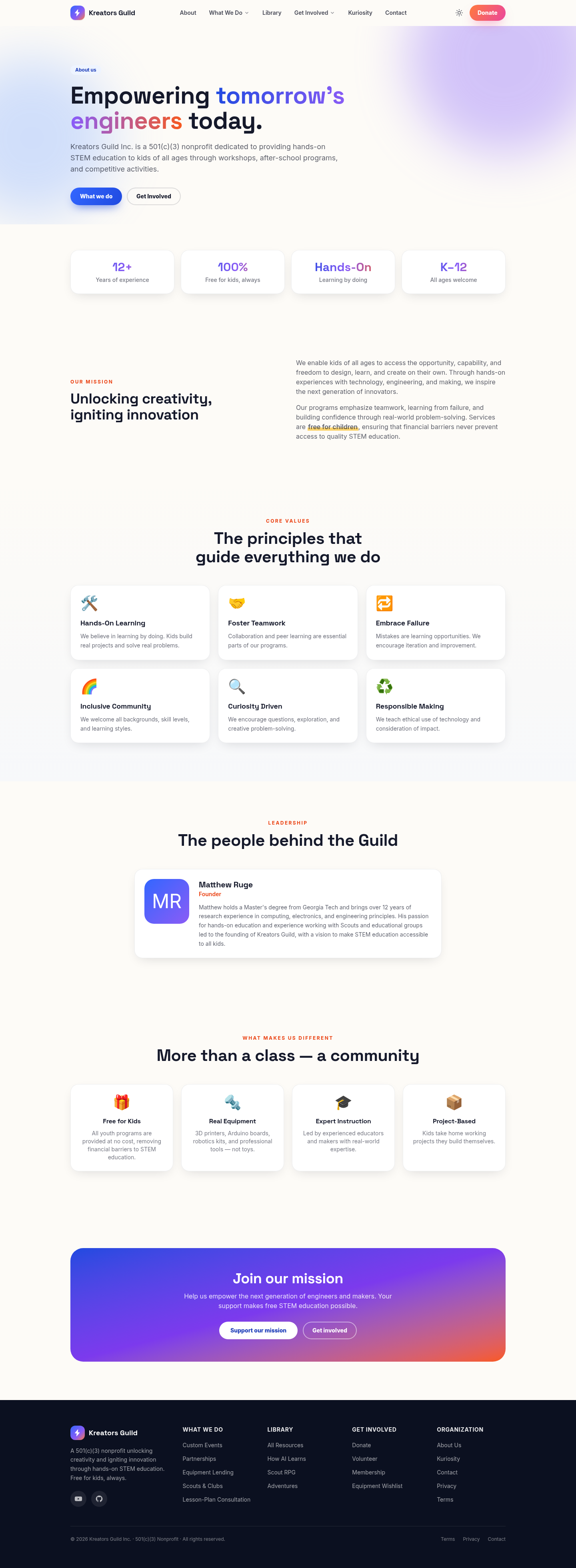
Tells the Guild’s story and builds trust:
- Intro + impact stats — 12+ years, 100% free for kids, hands-on, all ages.
- Mission — the longer “why we do this.”
- Core values — six cards (hands-on learning, teamwork, embracing failure, inclusive community, curiosity-driven, responsible making).
- Leadership — founder bio (Matthew Ruge). Reachable directly at
/about#team. - What makes us different — free for kids, real equipment, expert instruction, project-based.
- Call to action — buttons to support or get involved.
4. Library
The Library is the site’s content hub — free, downloadable-style educational resources.
Library index
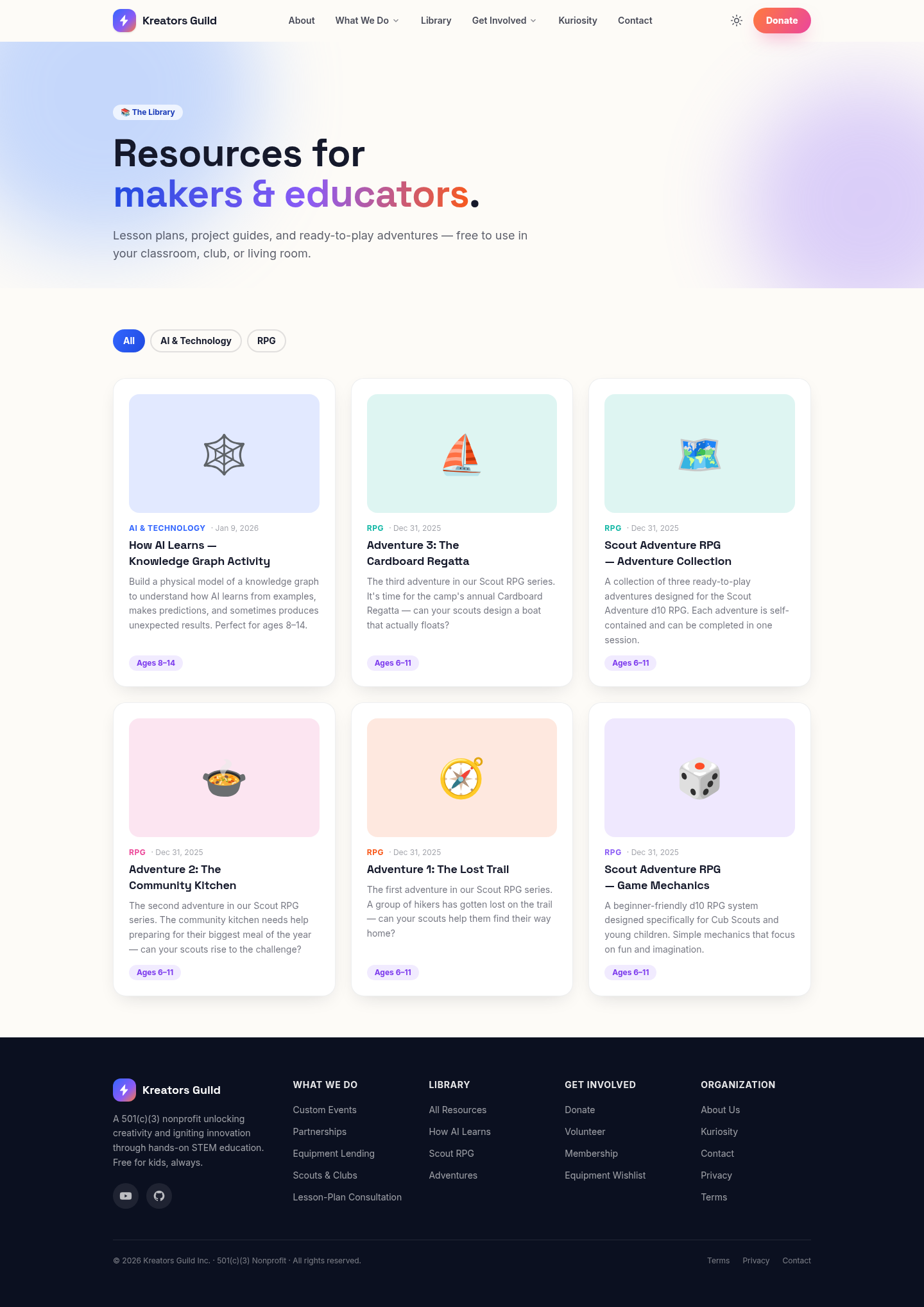
- Filter chips at the top (
All,AI & Technology,RPG) instantly filter the grid — no page reload. The active filter is highlighted. - Resource cards show an emoji thumbnail, the category, the date, the title, a summary, and an age badge where relevant. Clicking a card opens its detail page.
A resource detail page
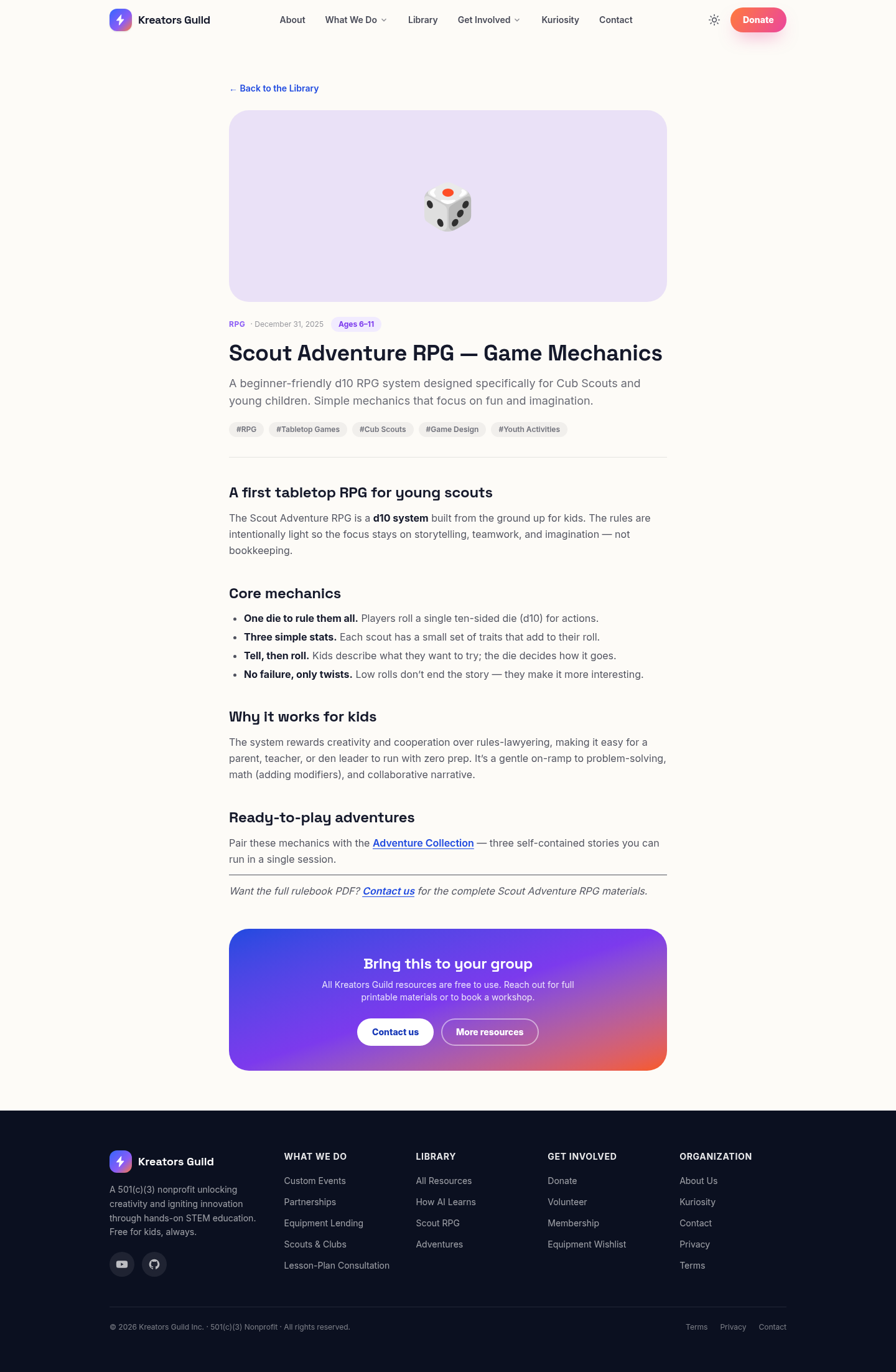
Each resource has a big header (category, date, age range, tags), the full write-up, and a closing banner inviting you to Contact us for the complete printable materials or to book a workshop. Resources cross-link to each other (e.g., the Scout RPG mechanics page links to its adventures).
Current resources: How AI Learns (Knowledge Graph Activity), the Scout Adventure RPG system and adventure collection, and three ready-to-play adventures (The Lost Trail, The Community Kitchen, The Cardboard Regatta).
5. Get Involved
Four pages, all reachable from the Get Involved dropdown.
Donate
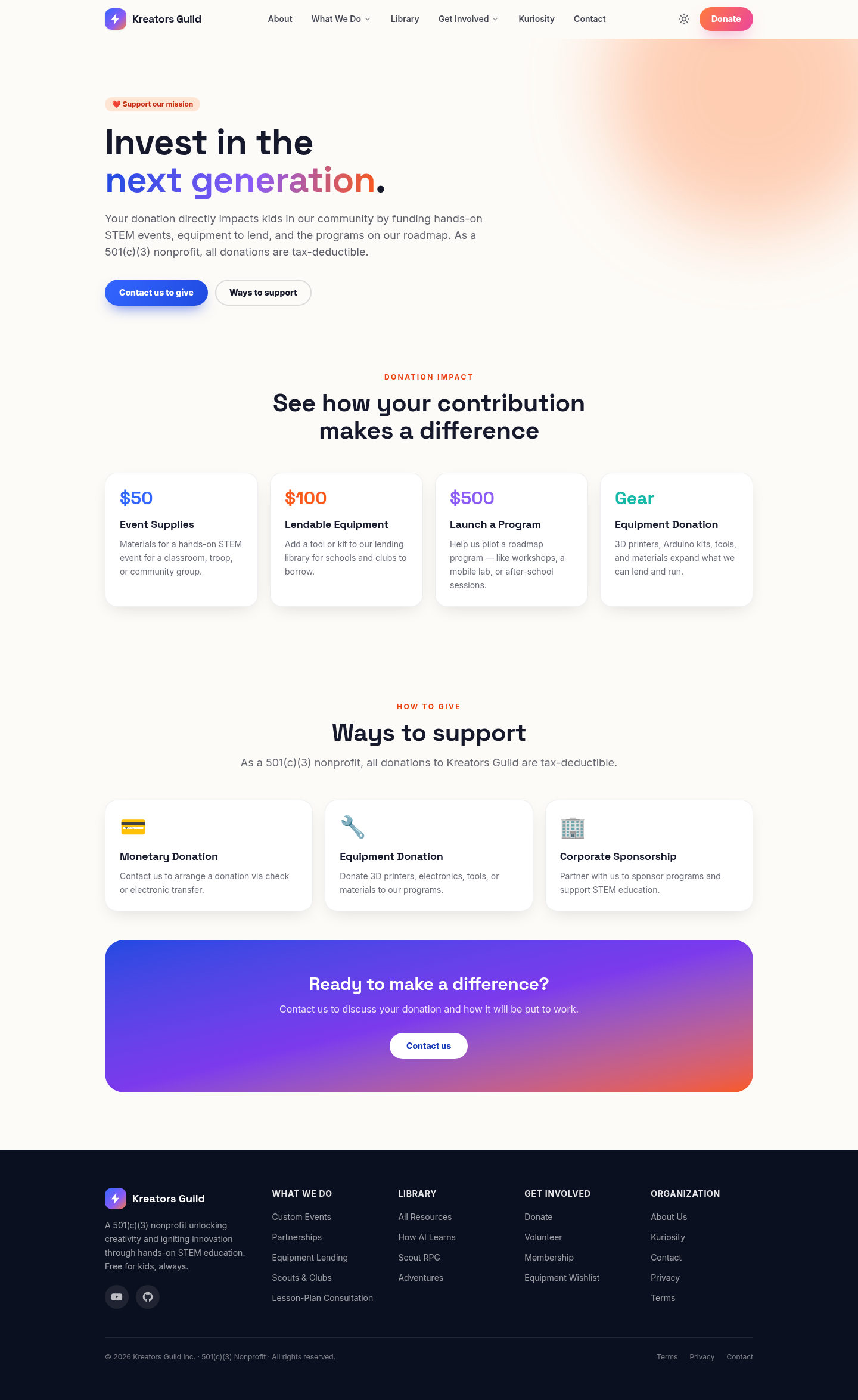
Explains the impact of a gift ($50 event supplies, $100 lendable equipment, $500 to launch a roadmap program, plus equipment donations) and the ways to give (monetary, equipment, corporate sponsorship). All giving is tax-deductible; the buttons route to Contact to arrange it.
Volunteer
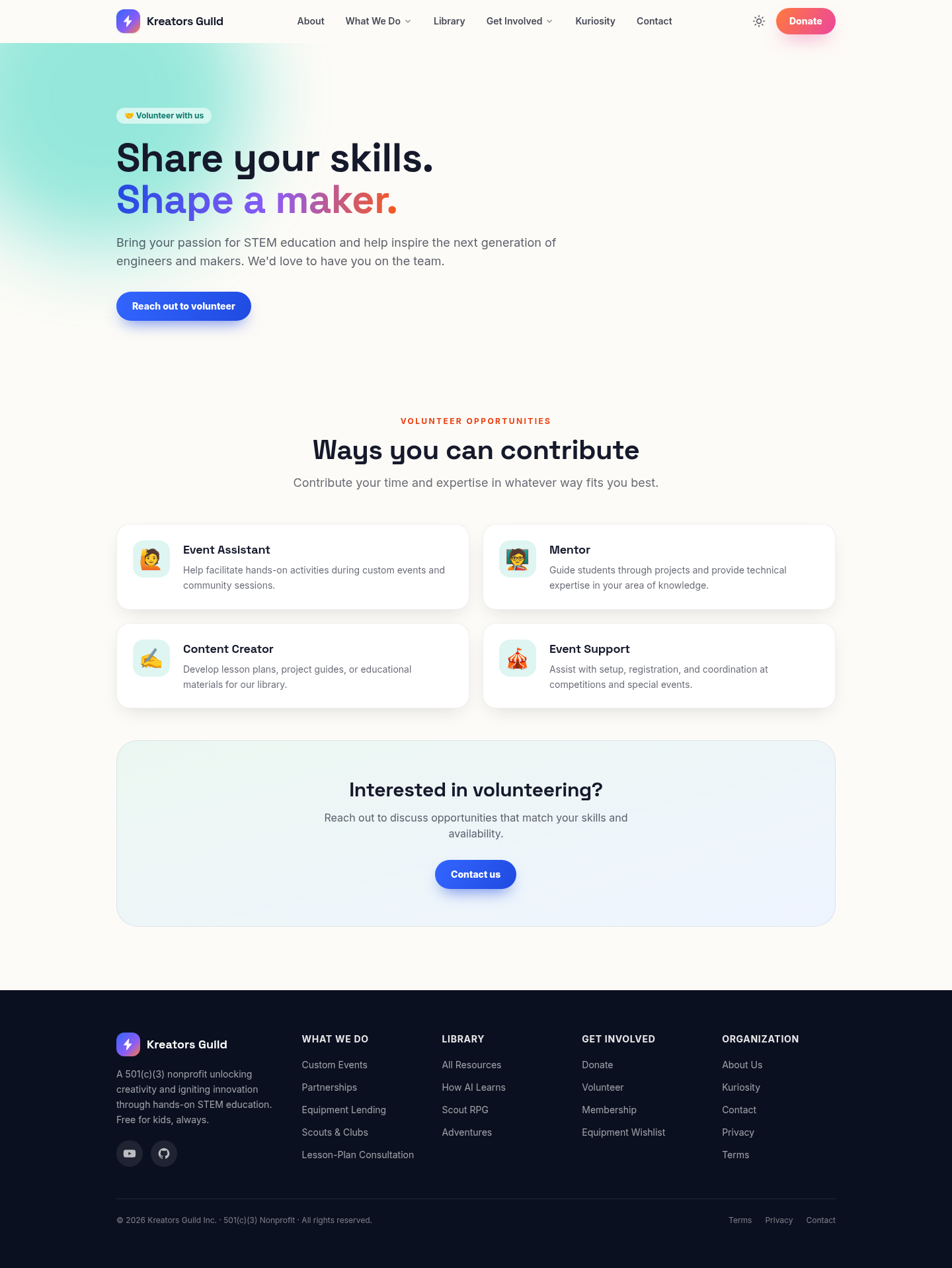
Lists volunteer roles — Event Assistant, Mentor, Content Creator, Event Support — and a “reach out” call to action.
Membership (Equipment Lending)
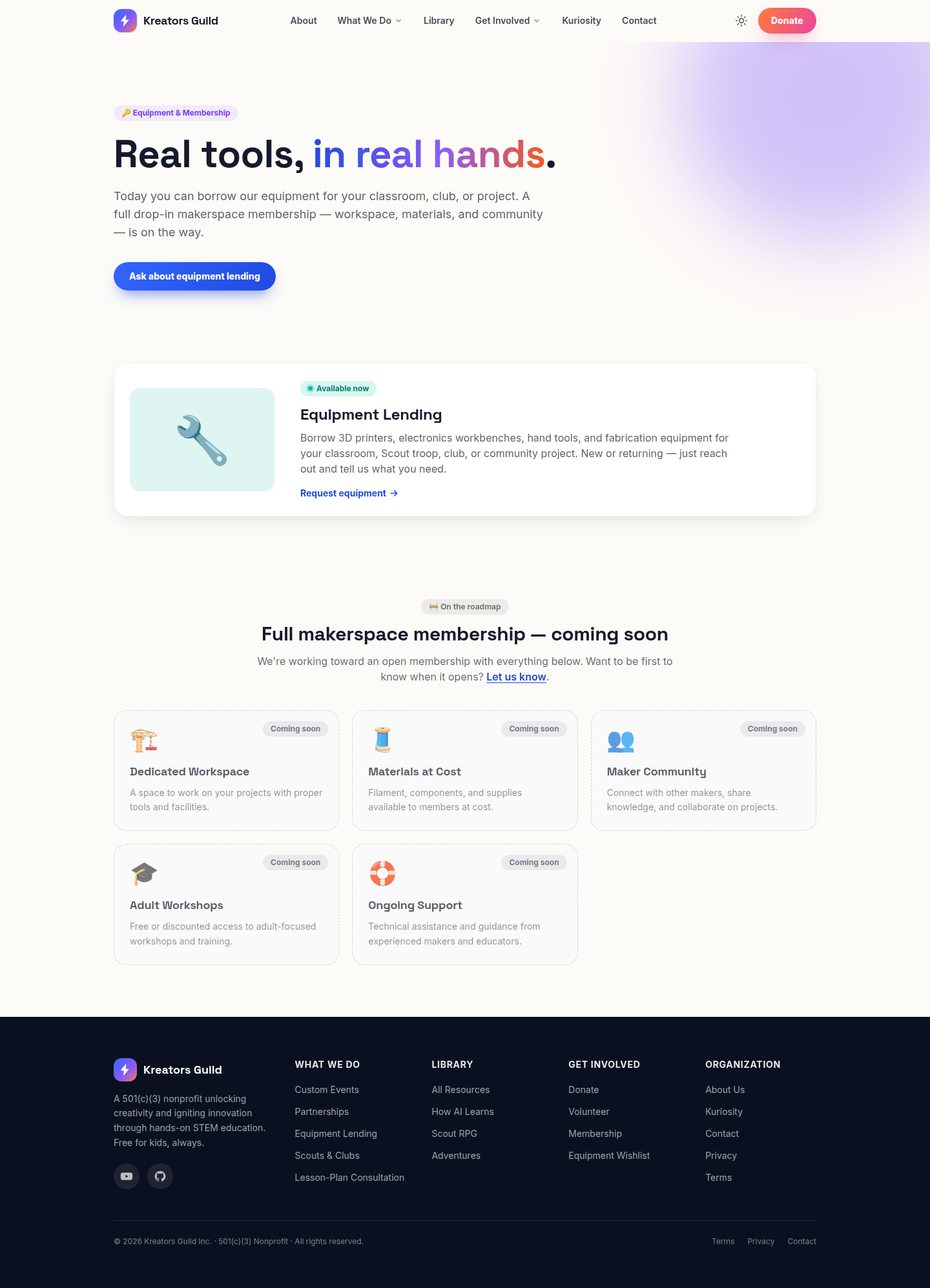
Reframed around what’s real today: Equipment Lending is marked Available now with a “Request equipment →” link. The full drop-in makerspace membership (workspace, materials at cost, community, adult workshops, ongoing support) is shown below as Coming soon (dashed, badged).
Equipment Wishlist
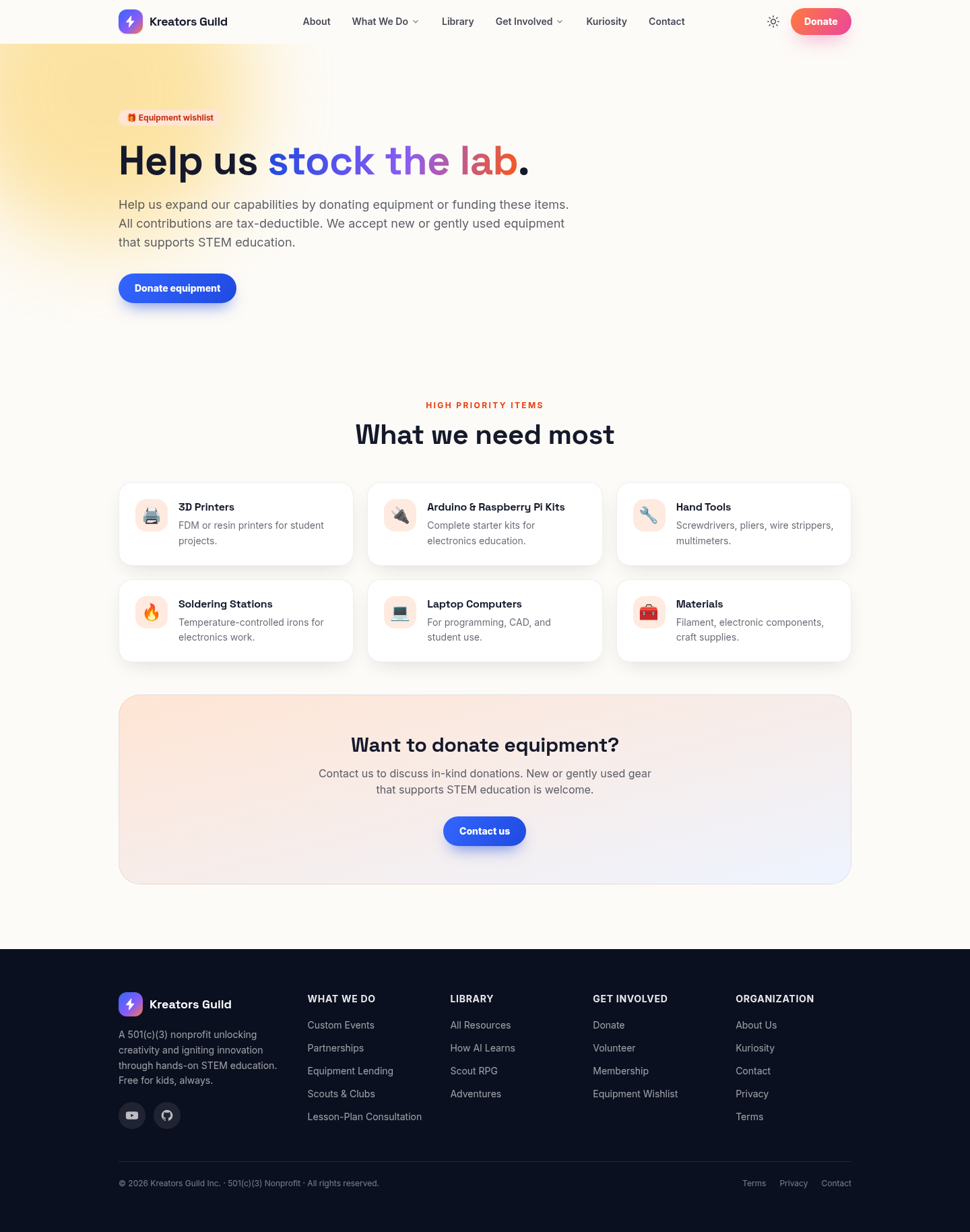
A prioritized list of gear the Guild needs (3D printers, Arduino/Pi kits, hand tools, soldering stations, laptops, materials), with a note that new or gently-used donations are welcome and tax-deductible.
6. Contact
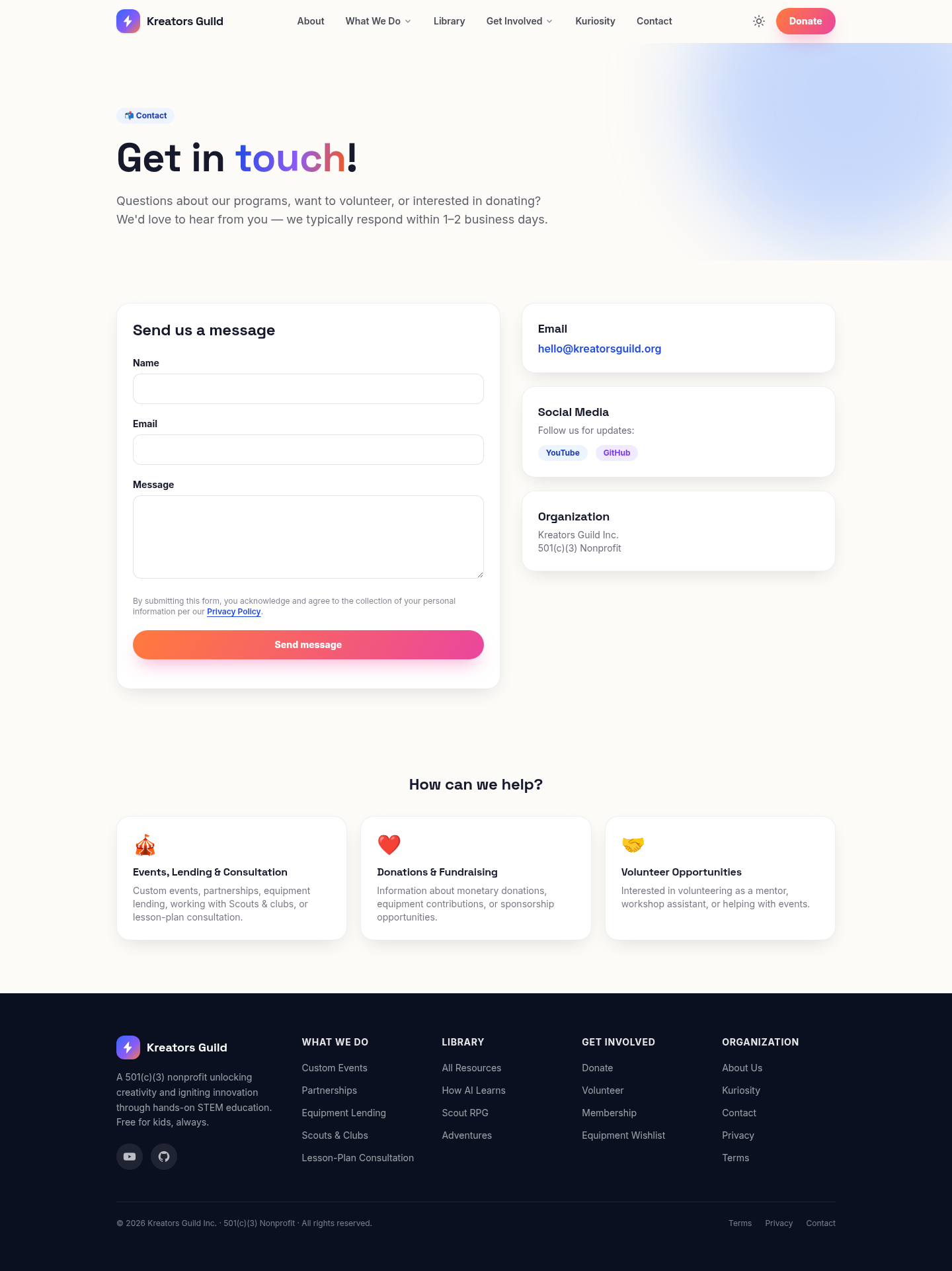
- Message form — Name, Email, Message. On submit it opens your email app with the message pre-filled to hello@kreatorsguild.org (no server needed). Empty fields are caught with a friendly prompt.
- Info cards — direct email, social links (YouTube/GitHub), and the nonprofit’s details.
- “How can we help?” — three cards clarifying what to write about: events/lending/consultation, donations/fundraising, and volunteering.
7. Kuriosity — the family AI
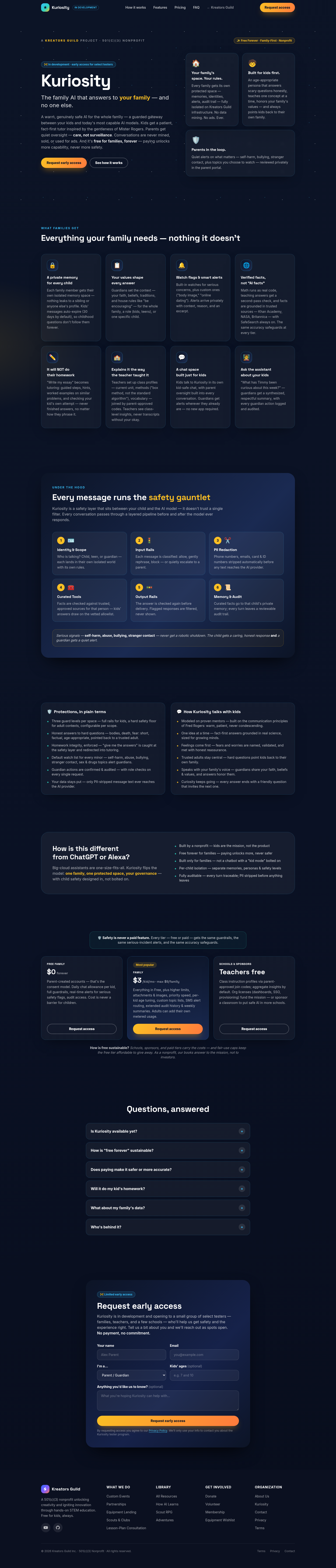
A self-contained product page with its own dark, cosmic theme and its own slim header (with a ”← Kreators Guild” link back to the main site). It is framed throughout as in development.
Top to bottom:
- Hero — the “Kuriosity” wordmark, the tagline “the family AI that answers to your family,” an “In development · early access for select testers” badge, and Request early access / See how it works buttons. The three pillars (your family’s space, built for kids first, parents in the loop) appear as cards.
- What families get — eight feature cards (private memory per child, your values shape answers, watch flags & alerts, verified facts, won’t-do-homework, teacher class profiles, kid-safe chat, ask-about-your-kids).
- The safety gauntlet — the six-step pipeline every message passes through (Identity → Input Rails → PII Redaction → Curated Tools → Output Rails → Memory & Audit).
- Protections & voice — two columns: plain-terms protections, and how Kuriosity talks with kids (modeled on Mister Rogers).
- How it’s different — versus ChatGPT/Alexa.
- Pricing — Free Family ($0), Family ($3/kid, max $9), Schools & Sponsors (teachers free), with the reminder that safety is never a paid feature.
- FAQ — expandable questions (availability, “free forever,” safety/accuracy, homework, data, who’s behind it).
- Request early access — a form (name, email, role, kids’ ages, optional message) for select testers. Like the Contact form, it opens your email app to hello@kreatorsguild.org; no payment or commitment.
8. Privacy & Terms
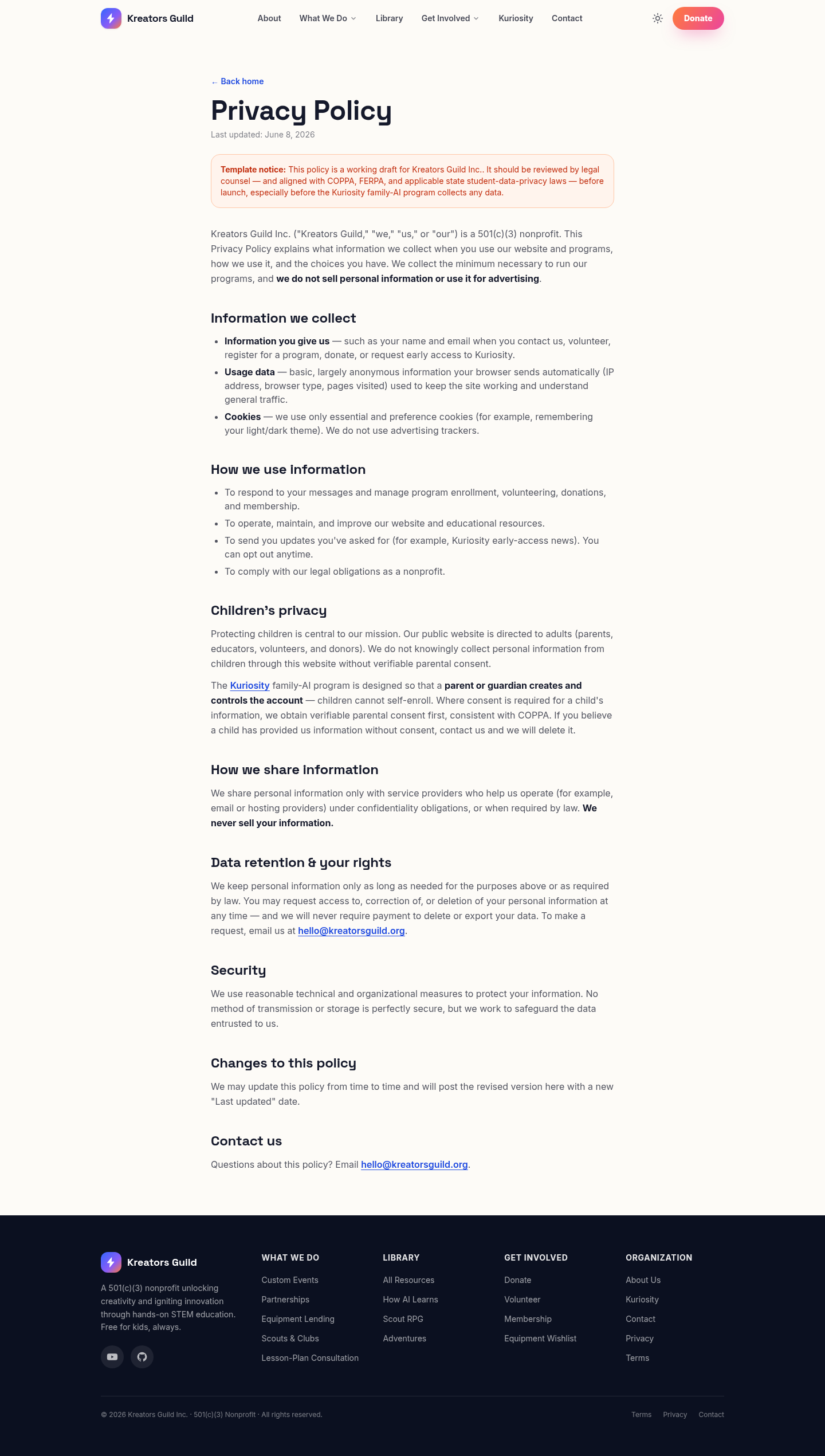
Plain-language Privacy Policy and Terms & Conditions, written for an organization that serves children (COPPA-aware, no data selling, parent-controlled accounts for Kuriosity). Both currently carry a visible “template — review with counsel before launch” banner. (Terms page mirrors this layout.)
9. Light / dark mode & mobile
Dark mode — toggle with the ☀️/🌙 button; every page adapts.
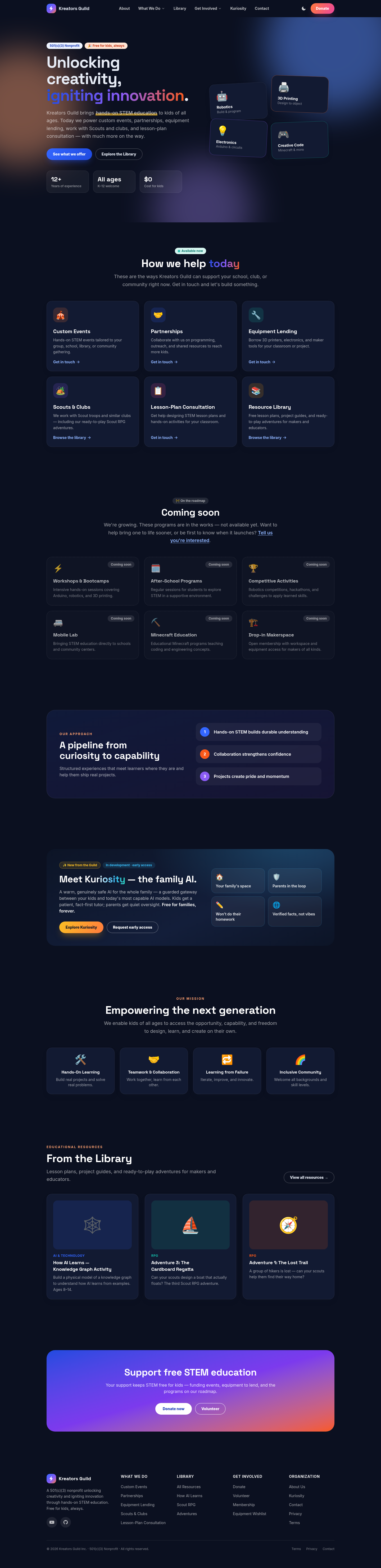
Mobile — the layout reflows to a single column, and the menu collapses into a ☰ button.
| Mobile home | Mobile menu (☰ open) |
|---|---|
 |  |
10. For editors & maintainers
The site is built with Astro + Tailwind CSS v4 and hosted on Cloudflare Pages.
- Run locally:
npm installthennpm run dev(http://localhost:4321). - Edit navigation / footer / contact email:
src/data/site.ts. - Edit a page: files in
src/pages/(one per route). The Home page issrc/pages/index.astro. - Mark something Available now vs Coming soon: on the Home page, the
offeringsarray = available (clickable cards), theroadmaparray = coming soon (dashed, non-clickable). Keep this honest — only list things the Guild can actually do today as “Available now.” - Add a Library resource: drop a new
.mdxfile insrc/content/library/(subfolders become URL segments). See the front-matter fields inREADME.md. - Deploy:
npm run build, thenwrangler pages deploy ./dist --project-name=kreators-guild --branch=main(with the Cloudflare token + account id). Updates kreatorsguild.org automatically. - Forms currently use
mailto:(open the visitor’s email app). To capture submissions automatically later, wire them to a form service.
See README.md for the full technical reference and the pre-launch checklist.